
Everything between your pen and your notes app.
Penlo watches your Dropbox or OneDrive folder, reads every page with Google Gemini, and sends clean, searchable text wherever you work. Here is everything it does.
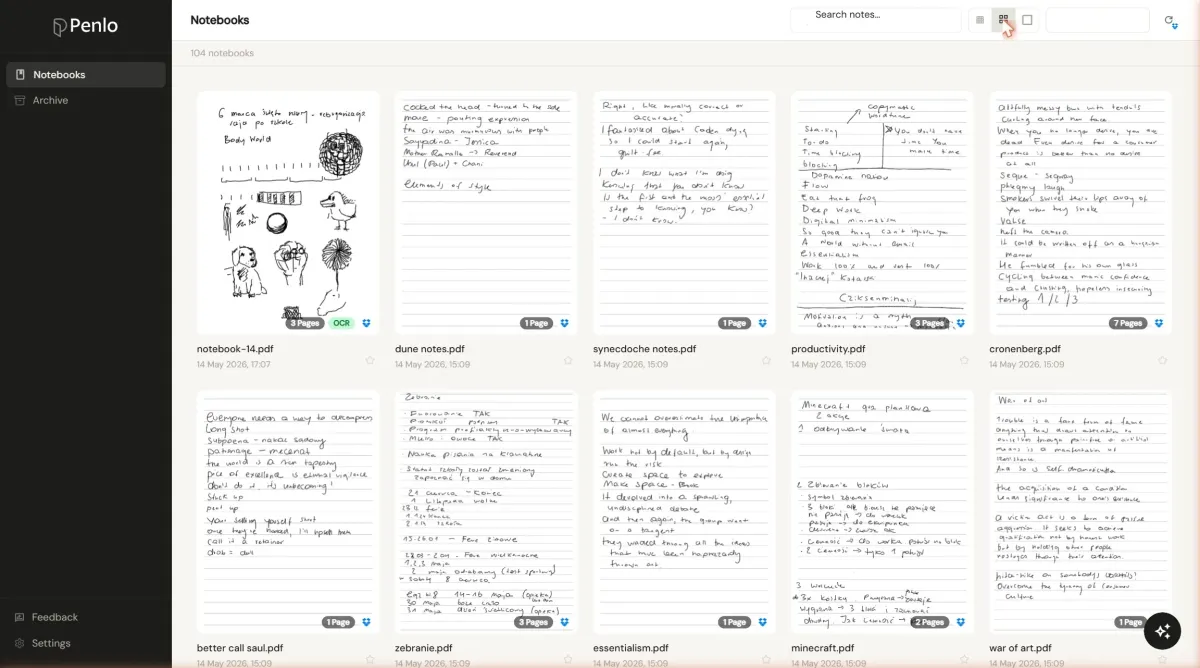
Works with the tablet you already own
If your device saves notes as PDFs to Dropbox or OneDrive, Penlo picks them up. Switch hardware any time without changing your workflow.




Search every word you've written
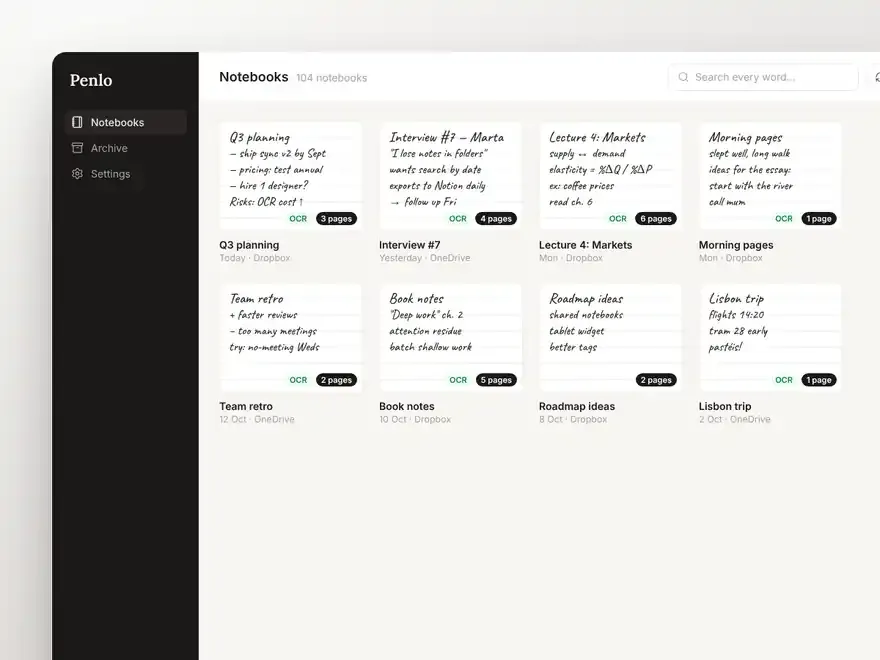
Full-text search across every notebook, page and date. Find the meeting where you wrote that one number.
OCR powered by Google Gemini
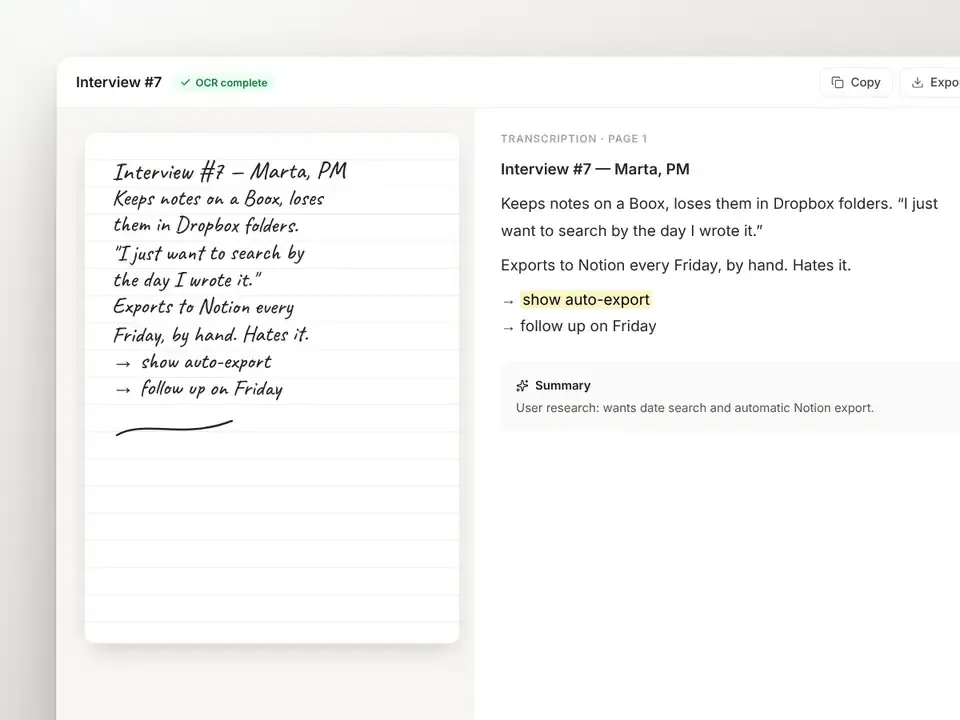
Industry-leading image recognition from Google reads real handwriting. No daily cap, plus optional cleanup that joins lines and fixes spelling.
Exports that update themselves
Notion, Obsidian, Markdown, searchable PDF and email. Re-syncs update pages in place, never duplicate them.
Your notes inside your AI
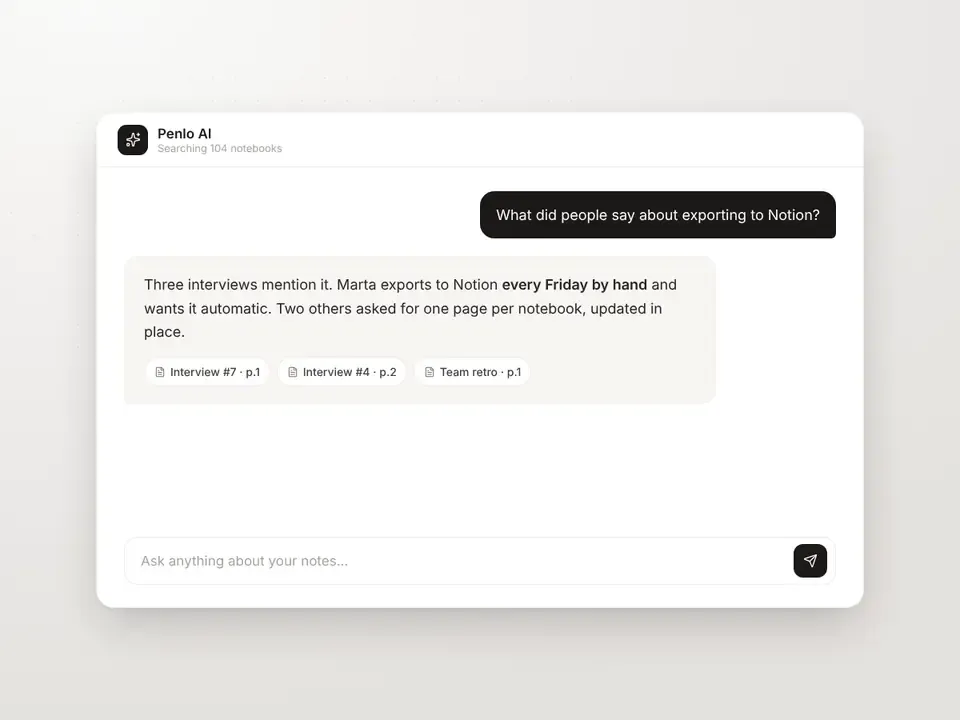
A built-in MCP server lets Claude, ChatGPT and Cursor search your handwriting mid-conversation.
See it in the app
Everything you write, in one calm dashboard. Pick a part to see it.
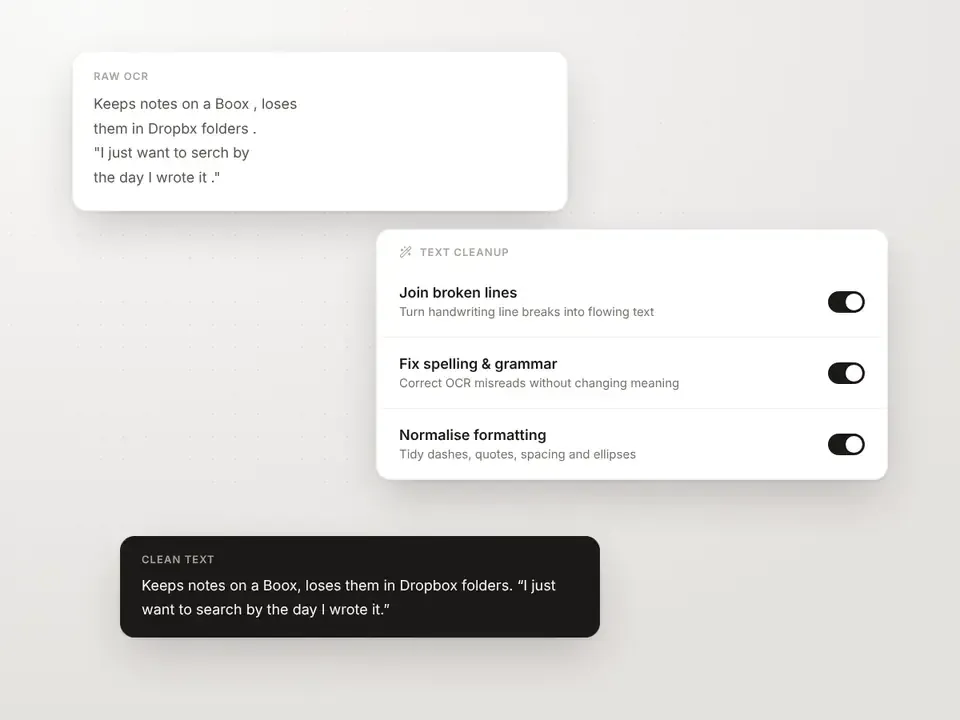
Send notes where you already work
Pick a destination once. Every new or edited notebook follows automatically, and re-syncs update the page instead of creating a duplicate.
Notion
Each notebook becomes a Notion page with its full text, summary and tags, in the page or database you choose.
Obsidian and Markdown
Clean Markdown files written back to your cloud folder, ready for your Obsidian vault.
Searchable PDF and email
Get a PDF with a hidden text layer you can search anywhere, or have new notes land in your inbox.
Built to plug into anything
Your handwriting becomes data other tools can use. The API and webhooks come with the Power plan.
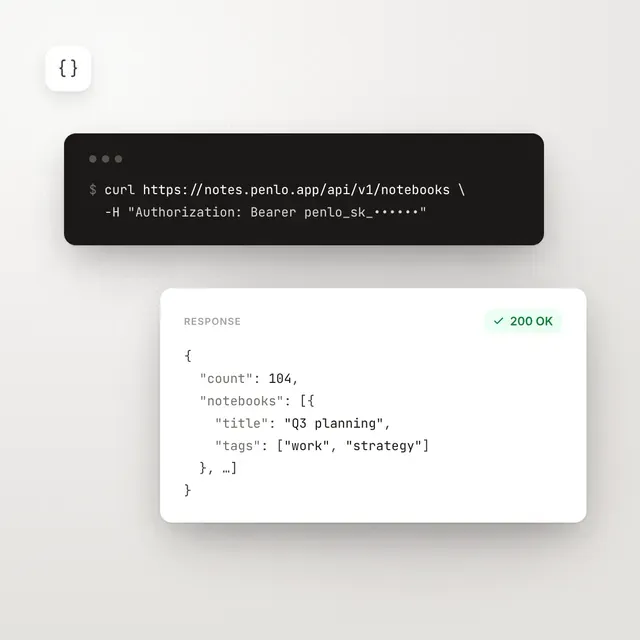
REST API
List notebooks, read OCR text and search your library from your own scripts and apps.
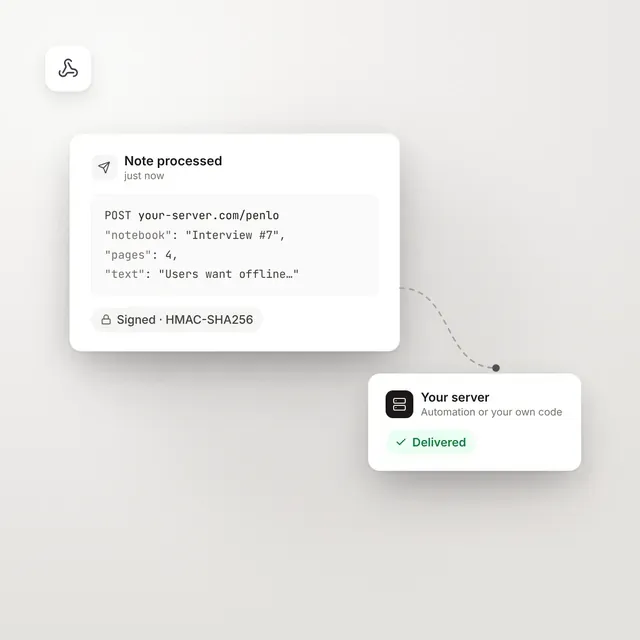
Webhooks
Get a signed payload the moment a note finishes processing. Send it to your automation tool or your own server.
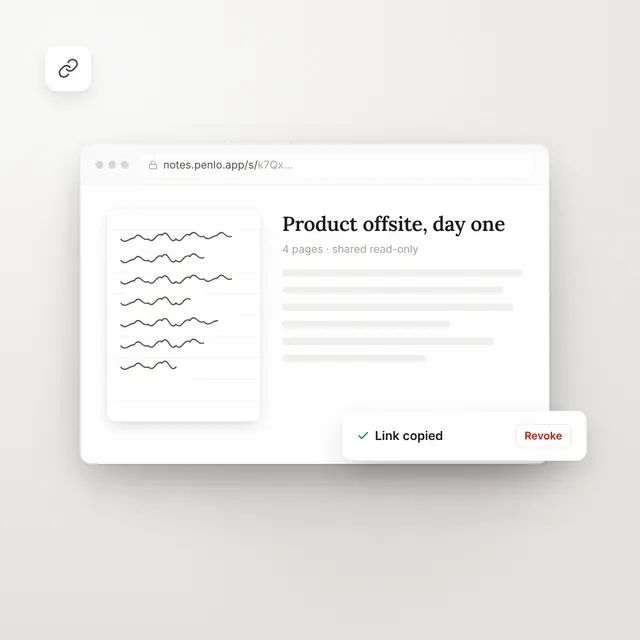
Shareable links
Send anyone a read-only link to one notebook's transcribed text and thumbnail.
Your handwriting, inside Claude and ChatGPT.
Penlo ships a built-in MCP server. Claude, ChatGPT, Cursor, VS Code or any MCP client can search your handwritten notes on demand, right in the conversation. No copy-paste, no file uploads.
Claude Desktop installs in one click: download the .mcpb extension, paste your API key, and ask about anything you've written.
MCP setup guideWorks with the AI you already use
Ask Claude, ChatGPT, Gemini or Cursor about anything you've written. Penlo's MCP server lets them search your handwritten notes right in the conversation.