
Penlo for Android. Your BOOX, synced without the cloud.
Install Penlo on your BOOX and it uploads your notebooks straight to Penlo, in the background. No Dropbox, no OneDrive, nothing to connect. On your phone, the same app puts every notebook you've written in your pocket.
Get from Google Play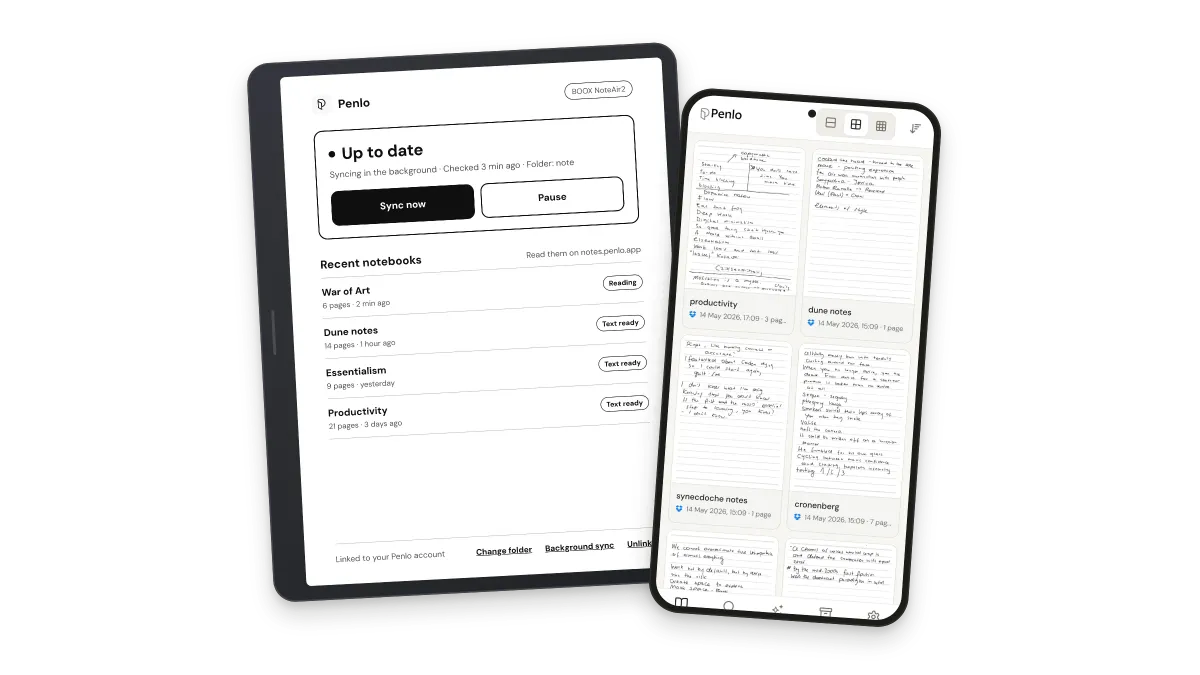

Made for BOOX. At home on any Android phone.
On a BOOX tablet, Penlo becomes a quiet sync helper built for e-ink. On a phone or a regular tablet, it opens your full Penlo library. reMarkable, Supernote and Kobo keep syncing through Dropbox or OneDrive.




Syncs straight from your BOOX
Penlo reads the notebook PDFs your BOOX saves and uploads them itself. Edit a notebook and Penlo updates the same notebook, never a duplicate.
Runs in the background
Close a notebook and the new pages are on their way. Penlo checks your notes folder on its own, even when the app is closed.
Pairs in seconds
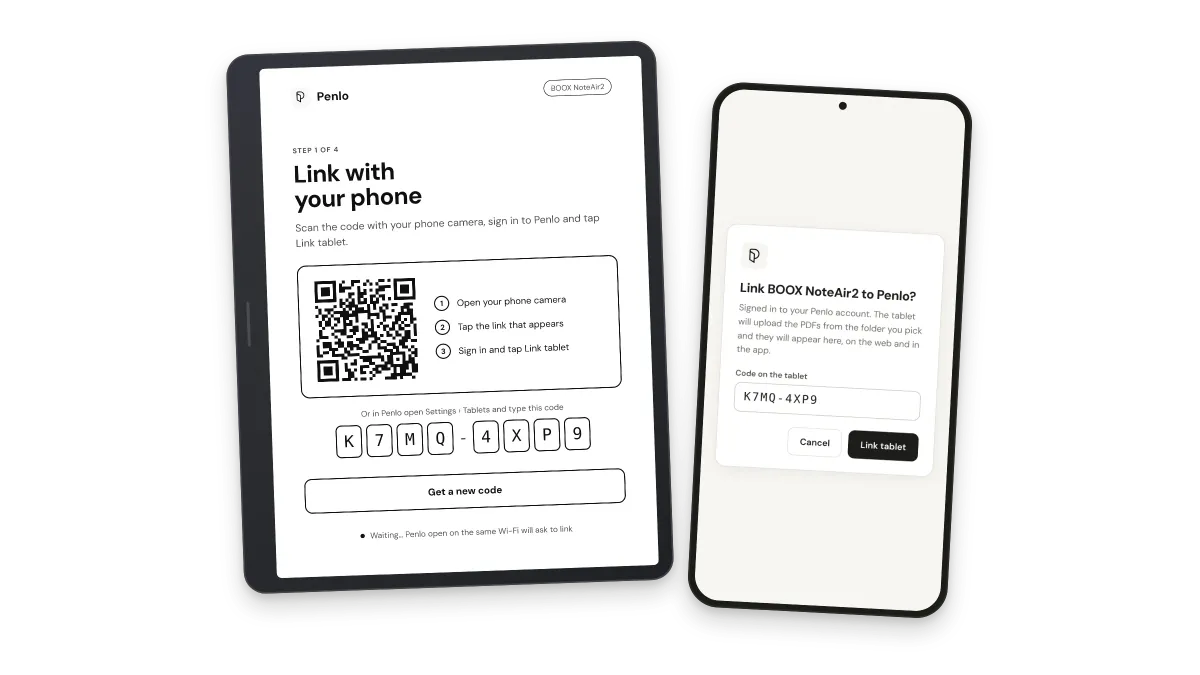
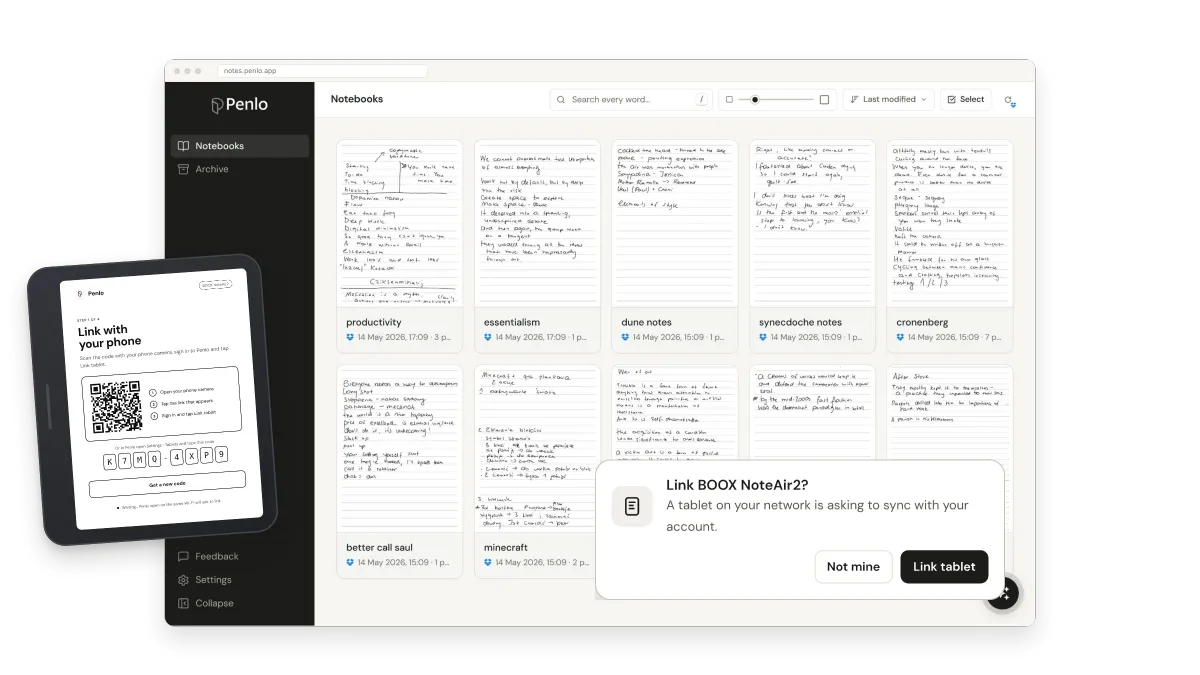
Scan a QR code with your phone, or open Penlo on any device on the same Wi-Fi and tap Link tablet. No passwords on the e-ink screen.
Your library in your pocket
On your phone, browse every notebook, read pages next to their text, search every word and ask Penlo AI about what you wrote.
See it on the tablet
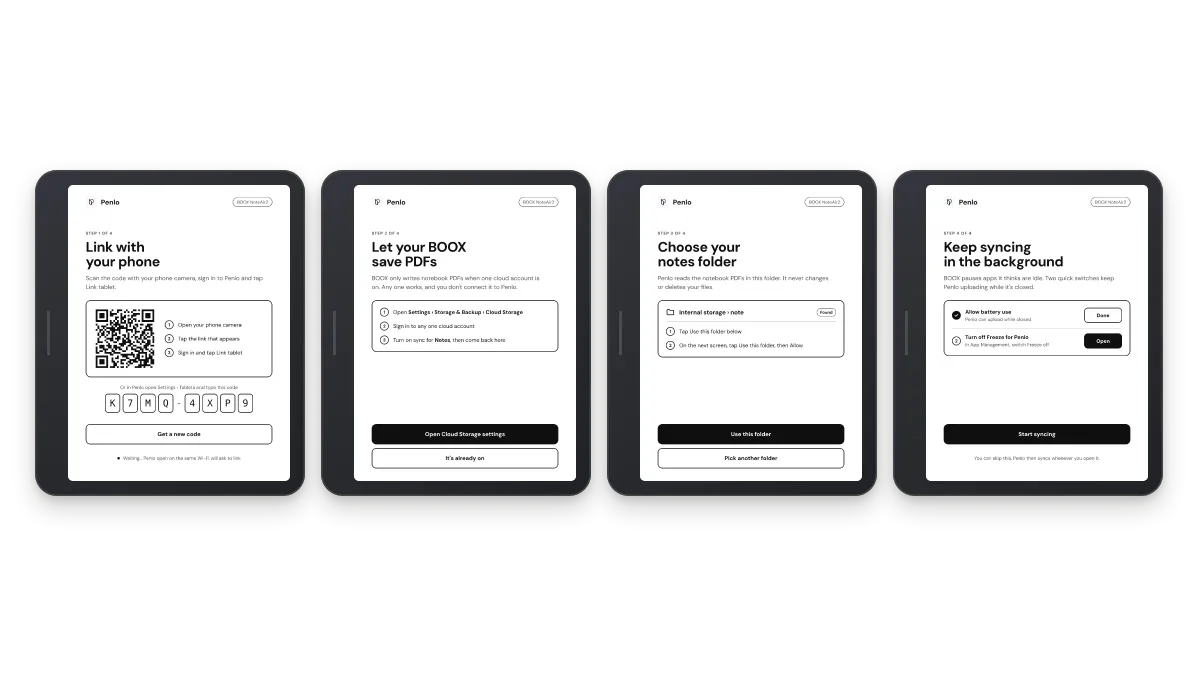
Four short steps, then it just runs. Pick a part to see it.
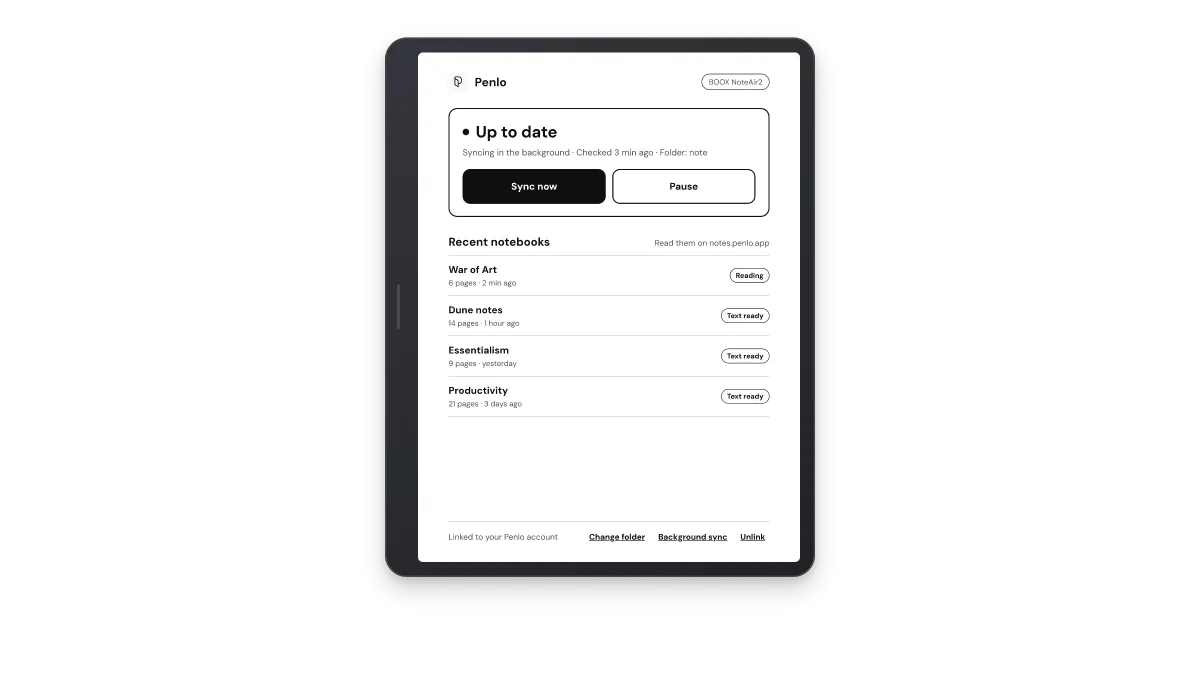
What you need
Three things, and you probably have all of them already.
A BOOX tablet
Note Air, Tab, Go, Palma or any BOOX with Google Play turned on. On other Android devices, Penlo opens your full library instead.
One BOOX cloud account switched on
BOOX only writes notebook PDFs when one cloud account is on in Settings › Storage & Backup › Cloud Storage. Any one works, and you don't connect it to Penlo.
A Penlo account
Free to start with 20 pages a month. Pro and Power add more pages and features. Your phone or computer approves the tablet once.
Penlo on your phone
The same Penlo you know from the web, made for one hand and a small screen.
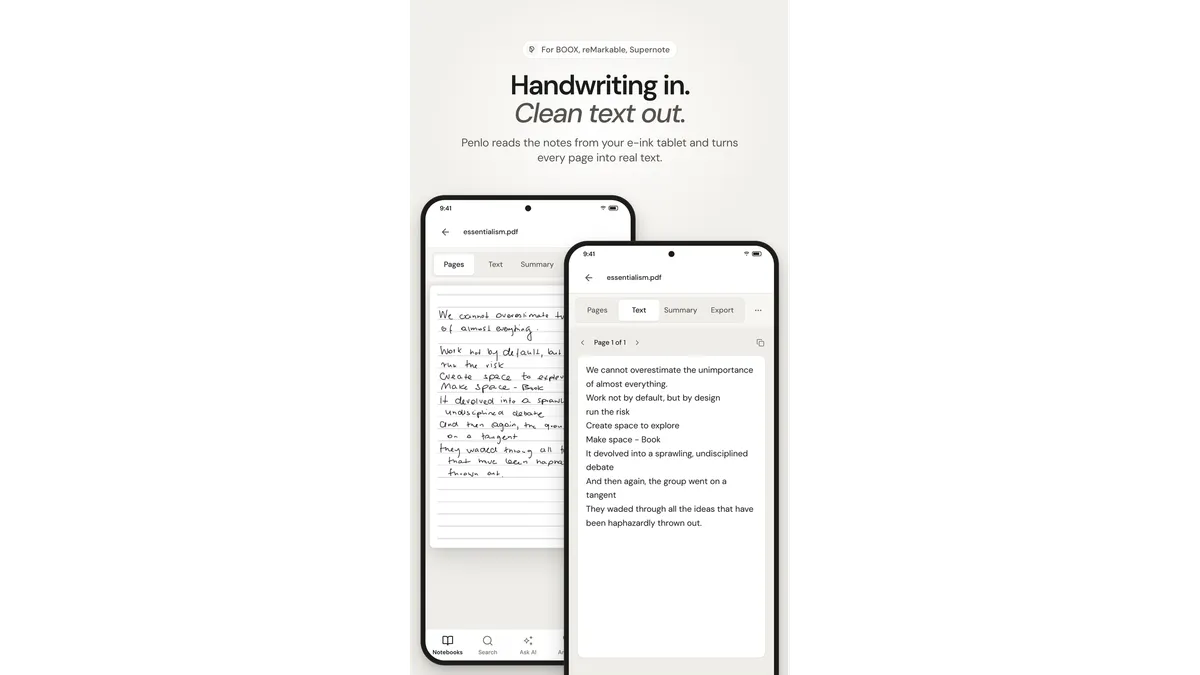
Read handwriting and text side by side
Open any notebook to flip through its pages, switch to clean text, or read the summary.
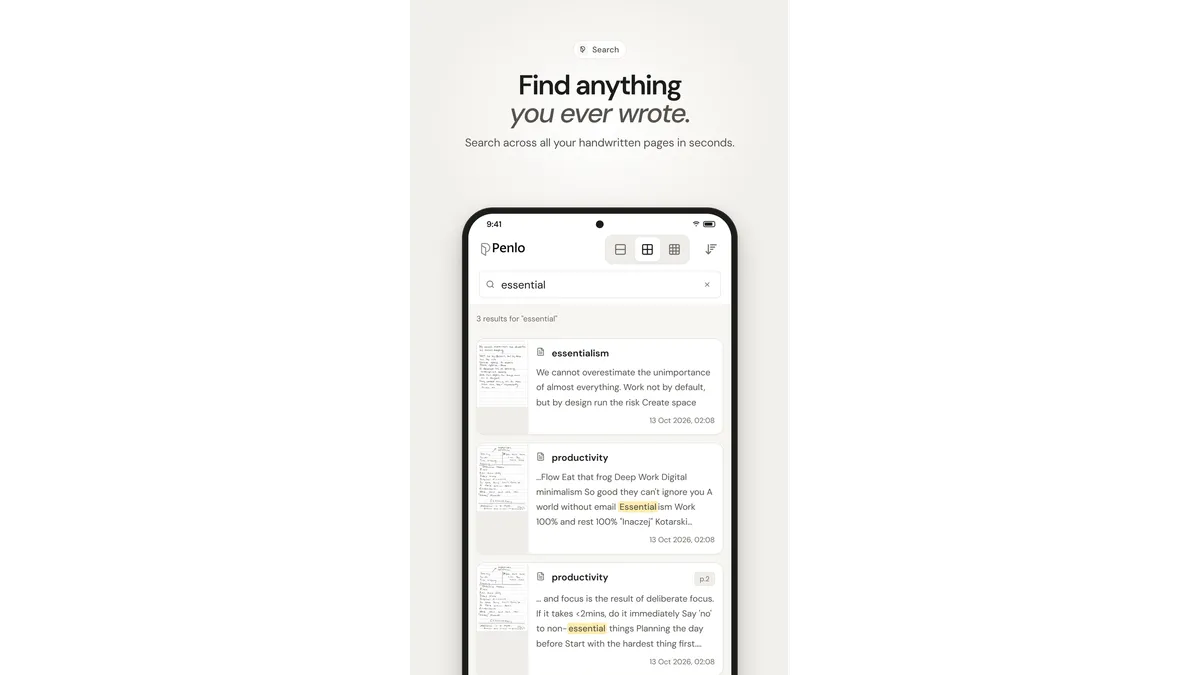
Search every word
Find a word across all your notebooks in seconds, with the matching line highlighted.
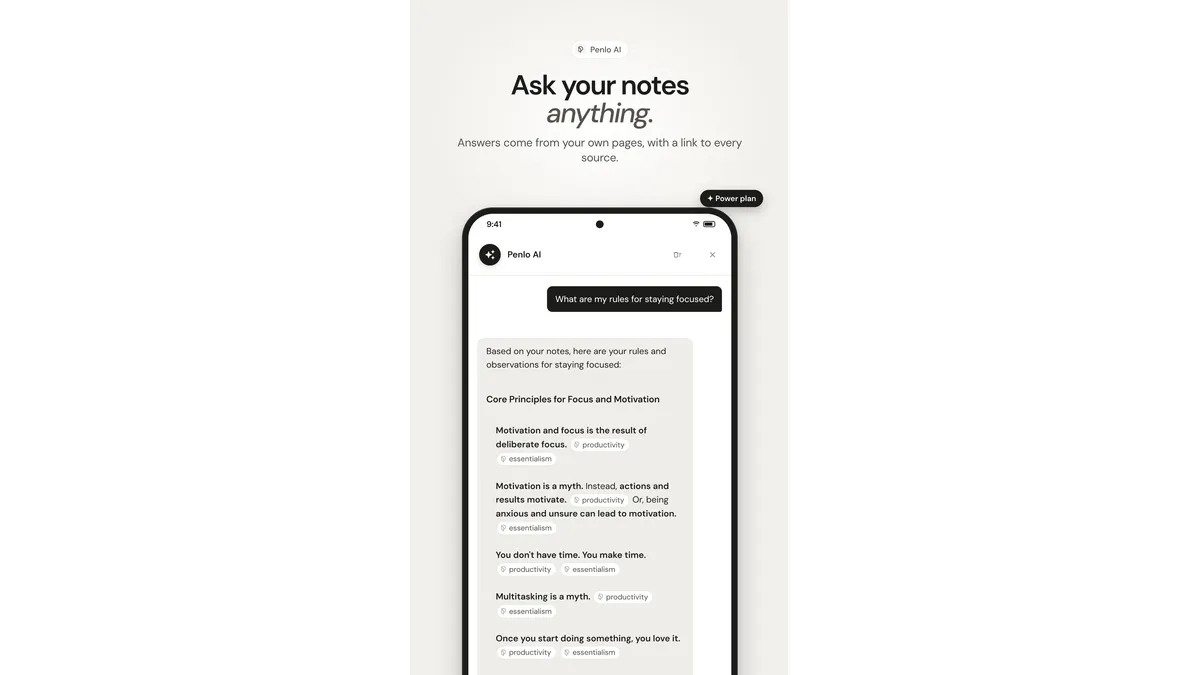
Ask Penlo AI
Ask a question and get an answer from your own pages, with a link to every source (Power plan).
Not on BOOX? Penlo still has you covered.
reMarkable, Supernote, Kindle Scribe and Kobo save notebooks as PDFs to Dropbox or OneDrive, and Penlo picks them up from there. Same search, same AI, same exports.
Our guides walk you through each tablet in a few minutes.
Set up your tablet