
Use your handwritten notes in Claude and ChatGPT
Connect Penlo to Claude, ChatGPT, Claude Code or Cursor in a minute, and let your AI assistant search and read your handwritten notebooks.

Michal Wlosik
· 2 min read
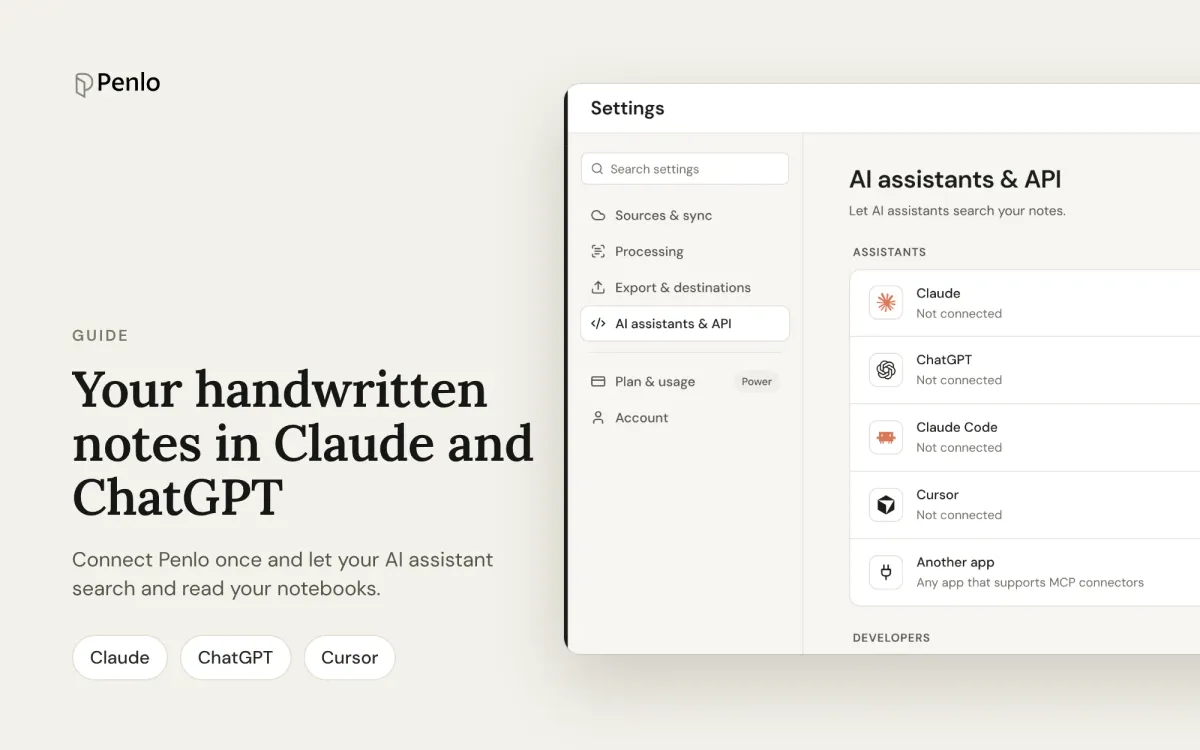
If you already use Claude or ChatGPT every day, you shouldn't have to copy notes into them by hand. Penlo connects your handwritten notebooks straight to your AI assistant, so you can ask Claude to summarise last week's meetings, or have ChatGPT draft an email from notes you wrote on your tablet this morning.
This is part of our getting started series.
What your assistant can do with your notes
Penlo uses MCP, the open standard AI assistants use to connect to other apps. Once connected, your assistant can:
- Search your notes by words, phrases or dates, across every notebook.
- Find a notebook by its title.
- See your most recent notebooks, with their summaries.
- Read a whole notebook, page by page.
The connection is read-only. Your assistant can read your notes but can't change, move or delete anything in Penlo.
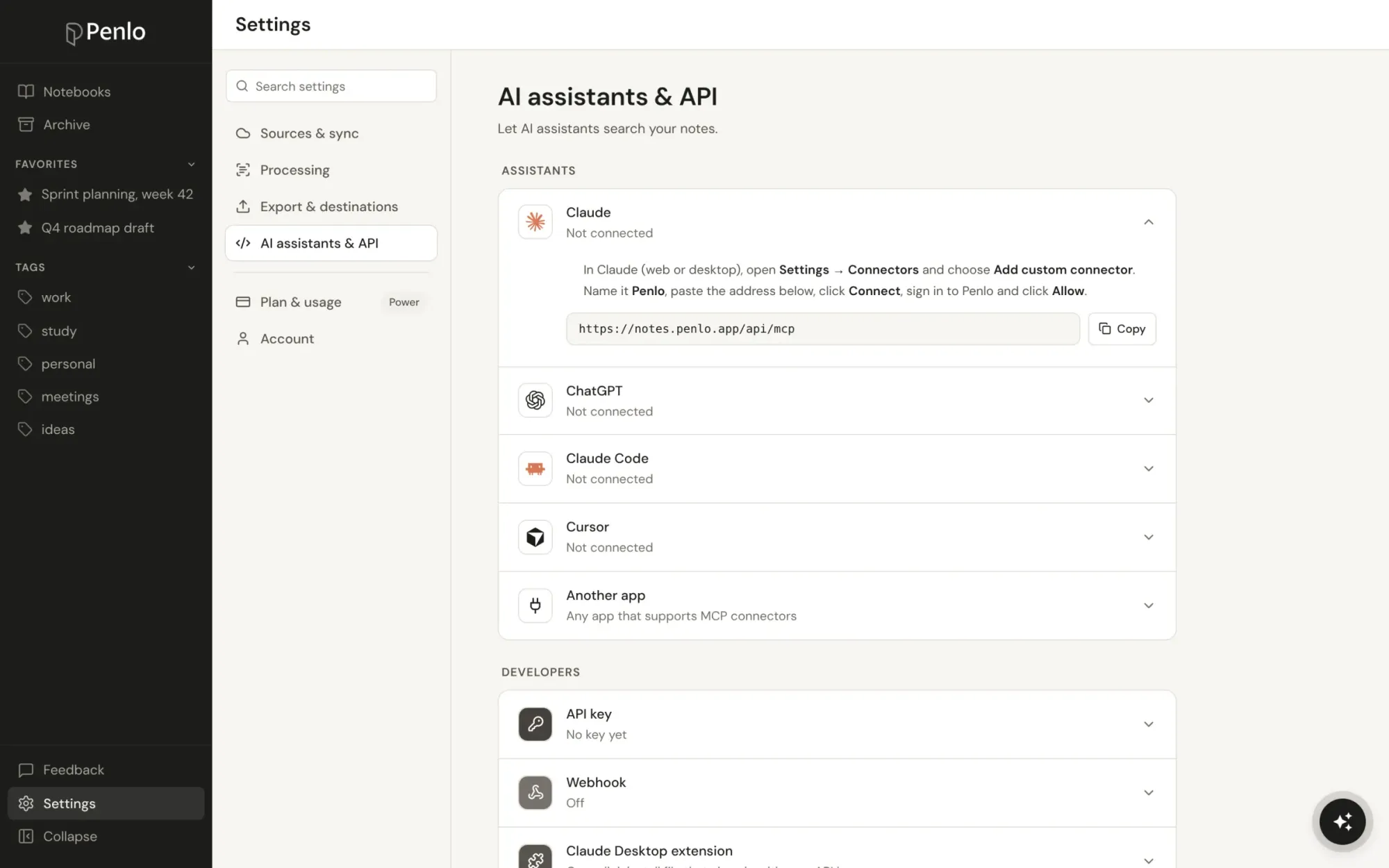
Connect in one minute
Everything you need is in Settings › AI assistants & API. Open the row for your app and follow the two steps. There are no keys to copy: you paste one address, sign in to Penlo and click Allow.
https://notes.penlo.app/api/mcpClaude
- In Claude (web or desktop), open Settings → Connectors and choose Add custom connector.
- Name it Penlo, paste the address, click Connect, sign in to Penlo and click Allow.
ChatGPT
- In ChatGPT, open Settings → Apps & Connectors → Advanced and turn on Developer mode.
- Create a new connector named Penlo, paste the address, choose OAuth, then sign in to Penlo and click Allow.
Claude Code
- Run this in your terminal:
claude mcp add --transport http penlo https://notes.penlo.app/api/mcp - Start Claude Code, type /mcp, pick Penlo and sign in.
Cursor
- In Cursor, open Settings → MCP and add a new server with the address above (Penlo's settings page has the ready-made config to copy).
- Click Login next to Penlo, sign in and click Allow.
Other apps that support remote MCP servers work the same way. If an app can't sign in, Penlo also offers an API key under Developers in the same settings page.
Things to try
- "Summarise what I wrote in my meeting notes this week."
- "Find my notes about the Q4 roadmap and turn them into a one-page plan."
- "What tasks did I write down in October that I haven't mentioned since?"
- "Draft a follow-up email from my notes on the Northwind kickoff."
Your assistant decides when to look in Penlo. If it doesn't, just say "check my Penlo notes".
Good to know
Which plan do I need?
Connecting AI assistants is part of the Power plan, and of the 7-day free trial every new account starts with.
How do I disconnect an assistant?
Open Settings › AI assistants & API in Penlo. Each connected app shows there, with a link to disconnect it. Access ends straight away.
Does Penlo AI do the same thing?
Penlo AI answers questions about your notes inside Penlo itself. Connecting your own assistant is for when you want to use your notes in the middle of your other work: writing, planning or coding.
Written by
Builder, product marketer. Creator of Penlo and Ectobuilder. Co-author of The AdTech Book. Writes about turning handwritten notes into searchable, useful text.
Keep reading
E-ink tablet vs iPad for note-taking: an honest comparison
Paper feel, focus and battery life, or apps, colour and search? How e-ink tablets and the iPad compare for handwritten notes, and how to close the e-ink tablet's one big gap.
The best handwriting OCR in 2026: what actually works for notes
Google Lens, Apple Live Text, AI assistants, your tablet's own recognition and Penlo, compared for real handwritten notes: messy writing, many pages, and finding the text again.
How to convert handwritten notes to text on an e-ink tablet
Three ways to turn handwritten notes into text if you write on an e-ink tablet: on the device, with a phone OCR app, or automatically for every notebook. What each is good for, and where it falls short.